Try Hair Colors on Your Own Photo: Faye's Free Preview Guide
Preview ten hair colors on your own photo, adjust strength, brightness and warmth, save settings and download a reference. Photos stay in your browser; use the result to discuss color preferences with Faye.
Thinking about a new hair color? Start by trying a few directions on your own photo. Faye's free hair color preview lets you change tones and strength, then download a reference to discuss with Faye. No registration or payment is required. The tool currently uses Traditional Chinese; the button labels below help you find each control.
Use it to explore whether you prefer warm brown, cool brown or red-purple tones. Whether you need bleach, how light you can go and the actual salon result still require an assessment of your starting color, treatment history and hair condition.
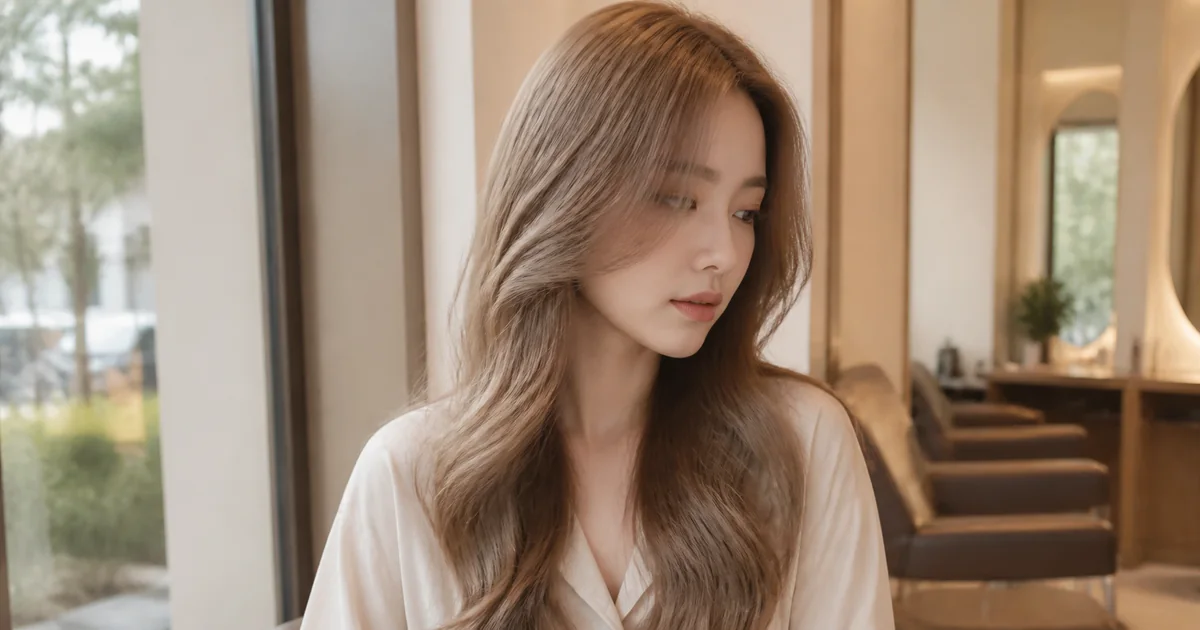
This is a color reference, not a tool screenshot, a real Faye client case or a before-and-after preview.
Step 1: Choose a suitable photo
Open the hair color preview page and select 「選擇照片」 (choose photo). Wait for the photo to load, the tool to load, hair detection and preview preparation. Your first use needs an internet connection to load the tool.
A link from a specific hair color article selects the matching color card in advance. Choose your photo to preview it, then switch to any other color if you like.
Choose a well-lit, front-facing photo of one person with all the hair visible. A background that is easy to distinguish from the hair helps. Avoid hats, backlighting, strong filters and covered hair. If the page warns that a photo is dark or may be blurry, try another photo.
JPG, PNG and WebP are supported, up to 20 MB and 40 megapixels per photo. Convert HEIC to JPG first. The original file on your device is not modified.
If the photo has loaded but detection or recoloring fails, select 「重新處理」 (retry processing) to keep the photo and current settings while trying again. Clear the photo to cancel. Invalid files or photos with insufficient detected hair require another photo. Reloading clears the current photo and settings.
Step 2: Choose a tone and adjust strength
The ten options are milk tea brown, cool brown, mint beige brown, burgundy red, muted blue, beige gold, chocolate brown, chestnut brown, rose brown and purple brown. Browse natural browns, cool muted tones, warm tones or special colors. Filtering the cards keeps your current preview.
Each selected color shows a short tone description and an article link. Articles open in another tab to preserve your current preview. Colors without a dedicated article link to the preparation and consultation guide.
- 「自然」 (Natural), 45%: a subtler color change for exploring a tone.
- 「明顯」 (Stronger), 80%: a stronger color change to make differences easier to see.
- 「髮色濃淡」 (Color strength) slider: adjust to your own preference at any time.
These percentages describe the preview strength, not a dye mixing ratio, a salon lightness level or a promised coloring result. On a phone, a small preview stays at the top while you scroll through adjustments.
Step 3: Fine-tune and save favorite settings
Expand 「亮度與冷暖微調」 (brightness and warmth) to explore lighter or deeper, warmer or cooler directions. Switching between Natural and Stronger keeps these adjustments. Use reset to restore the fine-tuning values.
「暫存這組設定」 (save these settings) holds up to four combinations. Apply or remove each one as needed. 「復原調整」 (undo) and 「重做調整」 (redo) let you revisit up to twenty recent color or slider changes. The original-photo button helps you check the change.
Settings last only within this page session. Choosing another photo, clearing, reloading or leaving the page clears them. Download a reference before closing if you want to keep a favorite direction.
Step 4: Download a reference and discuss it with Faye
Select 「下載試戴圖片」 (download preview) to save a JPG. Its filename includes the color, strength, brightness and warmth. The image retains a subtle Faye/HAPPYHAIR watermark and a consultation-reference note. If the browser opens the image, use its save-image option.
Then select 「與 Faye 討論髮色」 (discuss color with Faye) to open LINE and attach the reference yourself. Also send unedited hair photos in natural light and explain any dark dye, home coloring, bleaching or perm history. The preview explains your preference; original photos and history help assess what is feasible. The website does not automatically send photos or messages.
Read what to prepare before coloring and the Banqiao hair color service for preparation and booking information.
How are the usage counts calculated?
Each selected photo counts once after a successful color preview. Changing colors or settings, viewing the original, and downloading do not add another count; failed processing does not count. Totals begin when the counter is enabled, and daily counts use Taiwan time. These are completions, not unique people. Only a random deduplication code and a short-lived verification token are sent, with no photo, filename, color selection, or tracking cookie.
Are photos uploaded or stored?
Photos and results are processed in this page's memory. They are not sent to the website server or an external image service, or written to a website album or persistent browser storage. 「清除照片」 (clear photo), choosing another photo, reloading or leaving clears the photo and saved settings. Images you download remain on your own device.
Can the preview predict salon results or change a hairstyle?
The tool keeps your original hairstyle, length and fringe; it previews color only. Screens, lighting, starting color and detection edges affect the image. Going from very dark to light hair may look less natural. The preview cannot determine bleach sessions, color longevity or gray coverage.
Explore milk tea brown and its starting color, mint beige brown, or burgundy red versus glacier blue. The tool's muted blue is a cool-blue direction, not the same lightness or formula as the pale glacier blue reference in the article.
Ready to explore? Try colors on your own photo (Traditional Chinese tool) and identify the directions you like and those you would rather avoid.